Deliverables
Concept development
Product Design
Accessibility
The brief
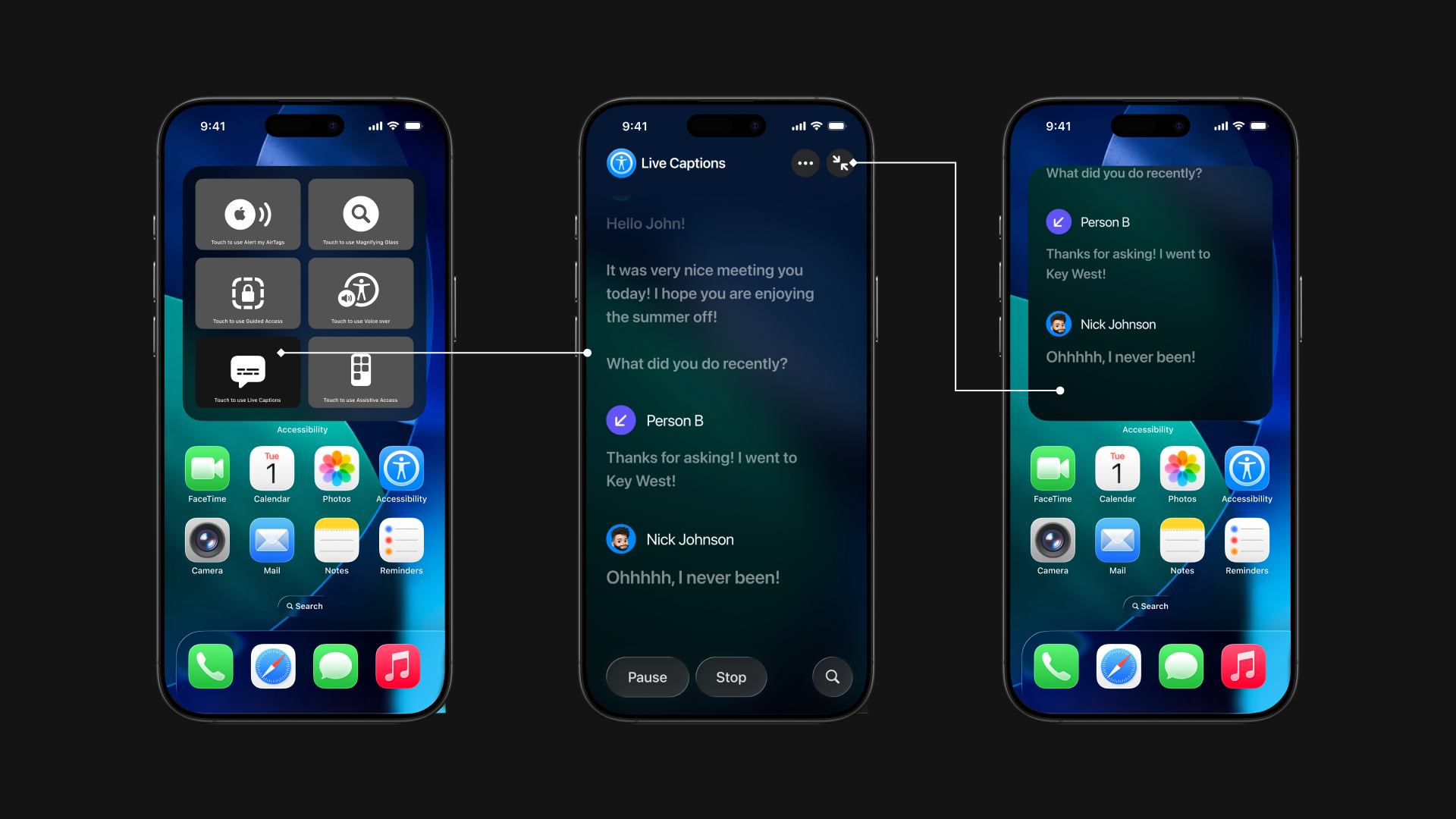
Live Captions exist across Apple devices, but inconsistent implementations create confusion for
users who depend on them in critical moments.
Problem
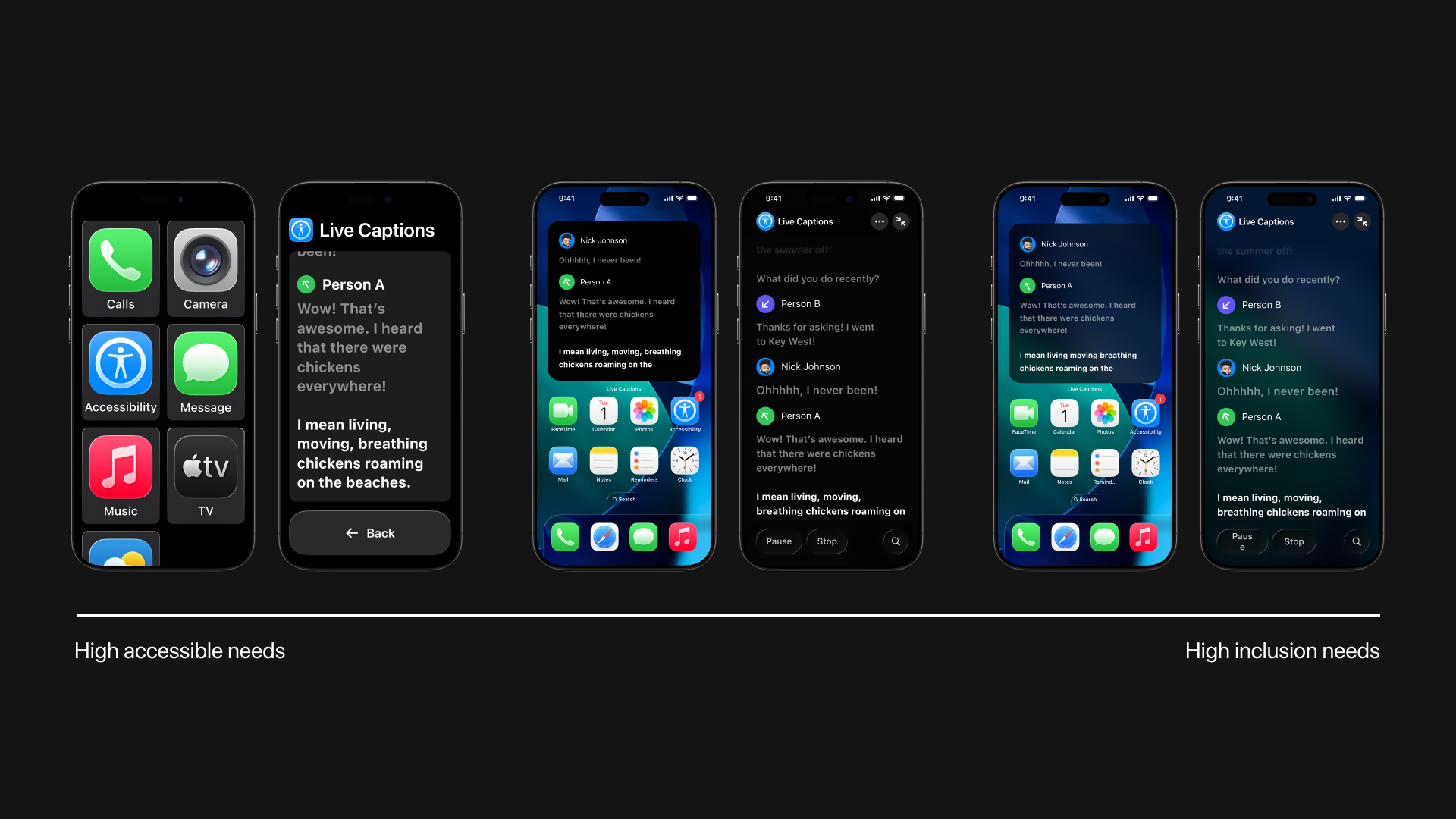
Live Caption behavior varies across devices, increasing cognitive load and reducing trust in
accessibility features.
Opportunity
Unify Live Captions into a consistent, system-level experience across Apple devices while
respecting platform constraints.
How Can We Create a More Cohesive Apple Live Captions Experience?
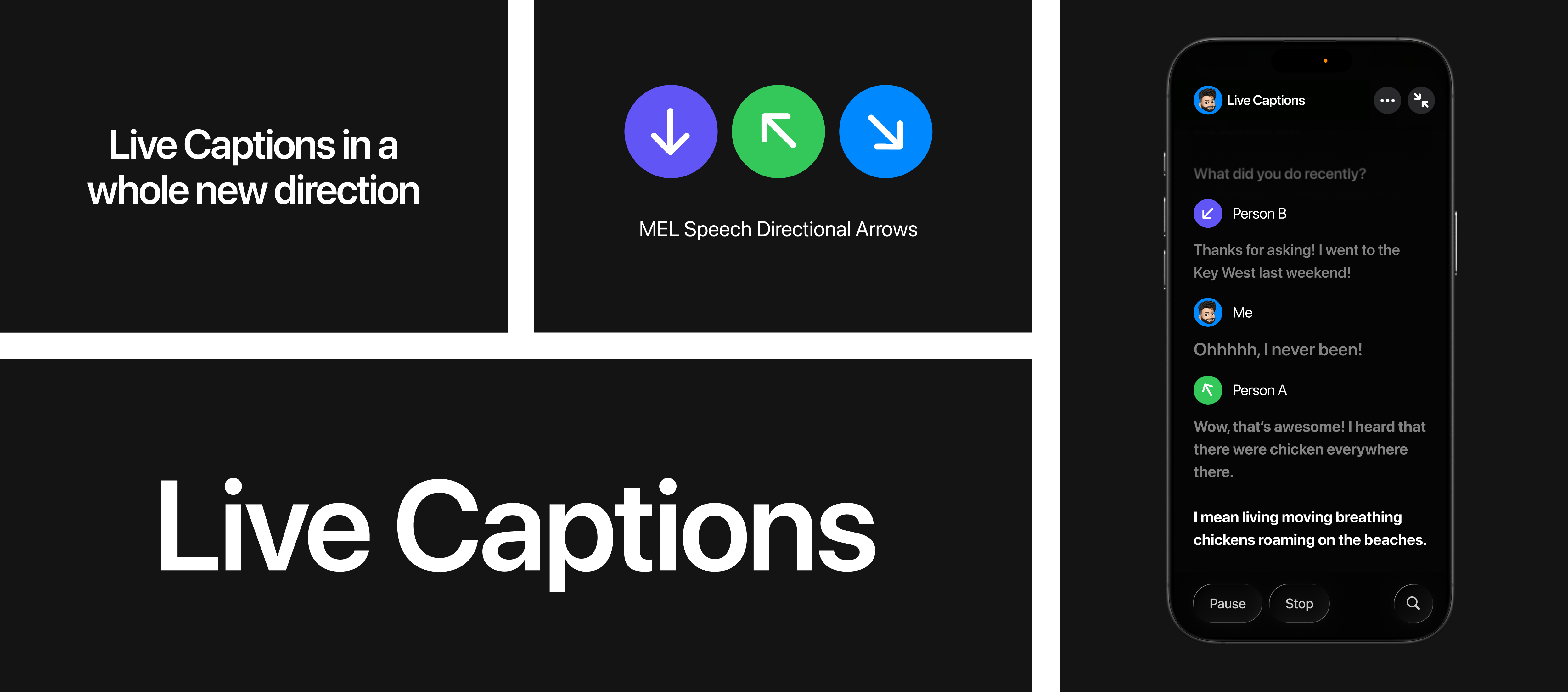
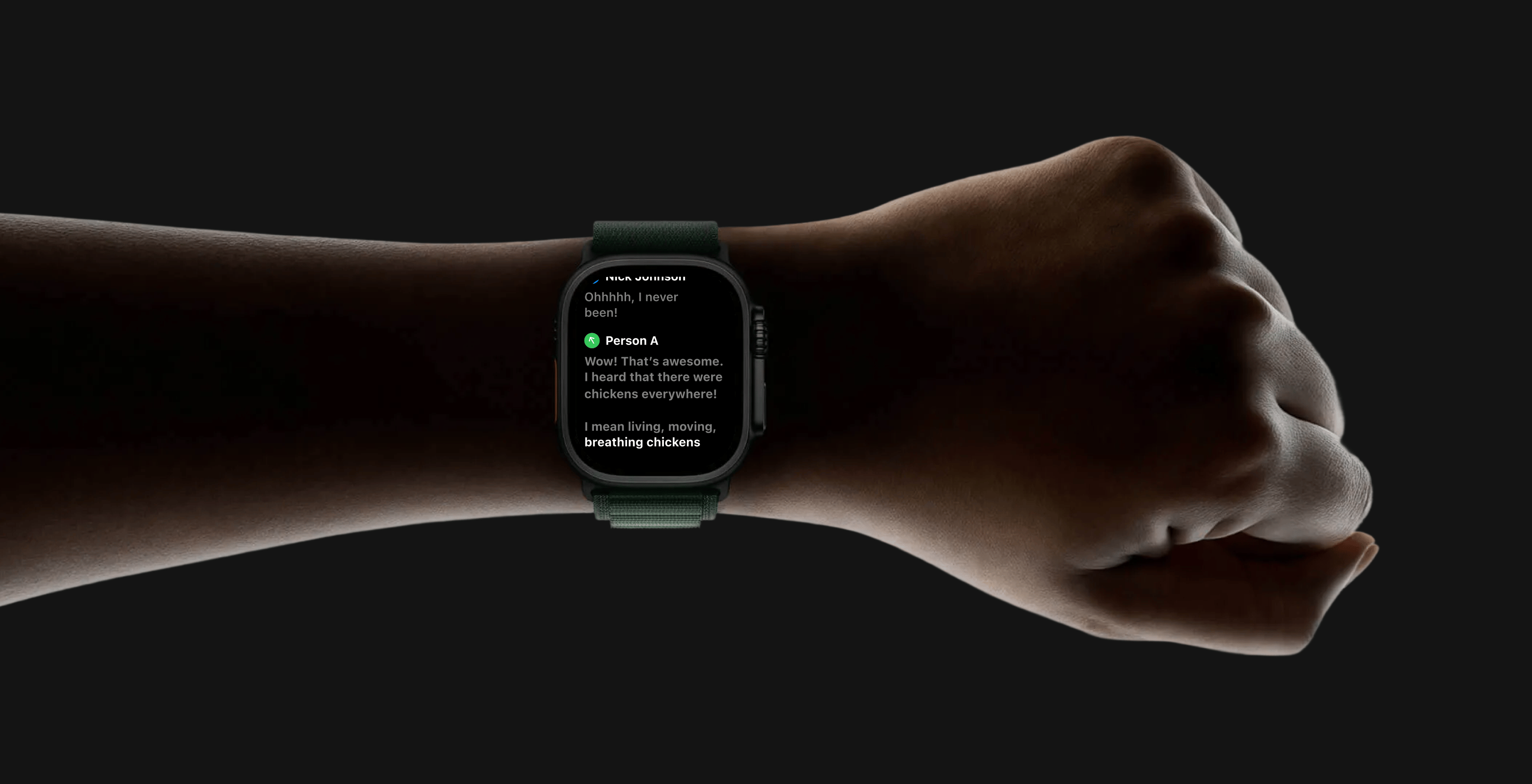
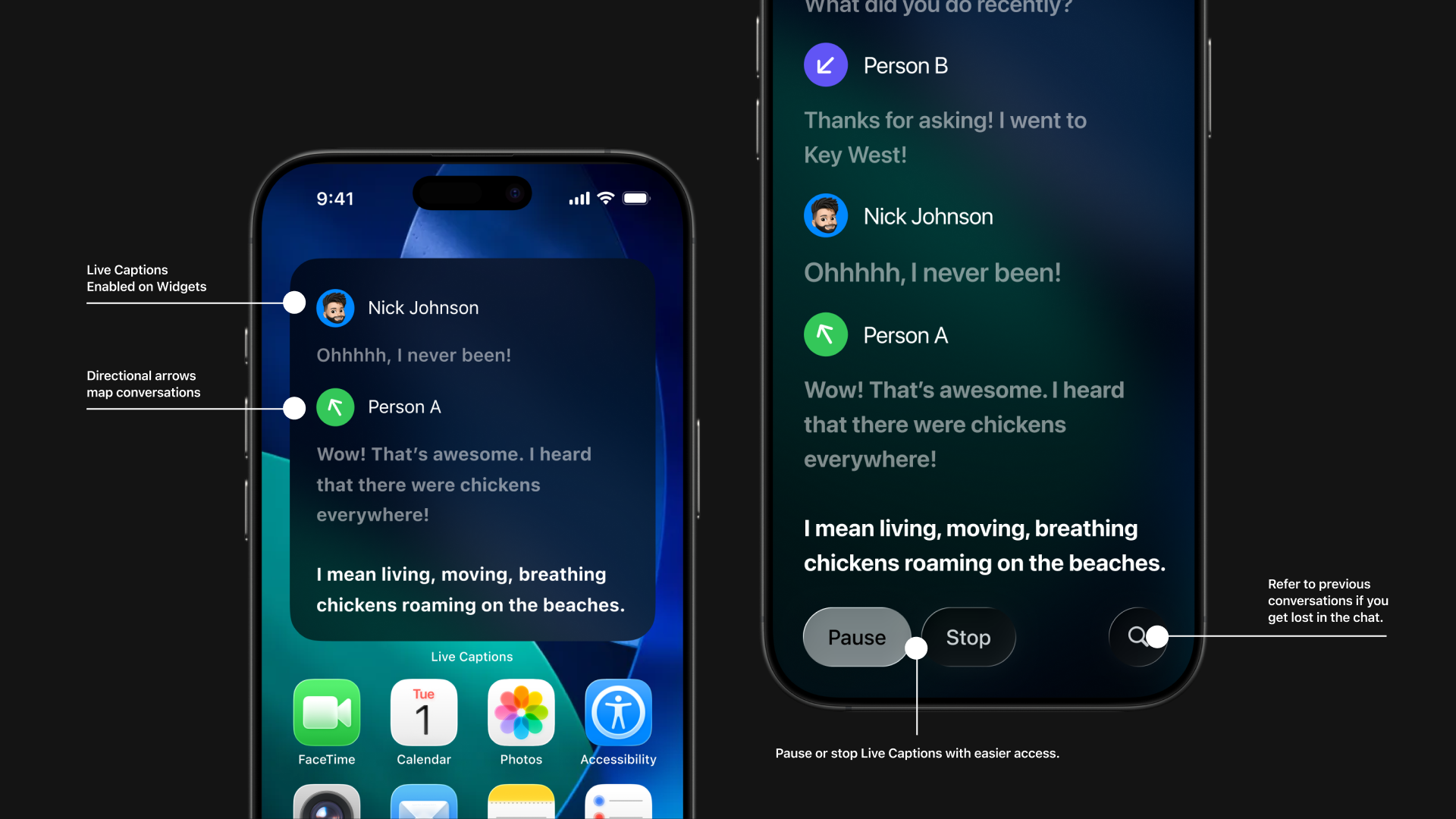
How can we bring Apple Intelligence into the existing products?
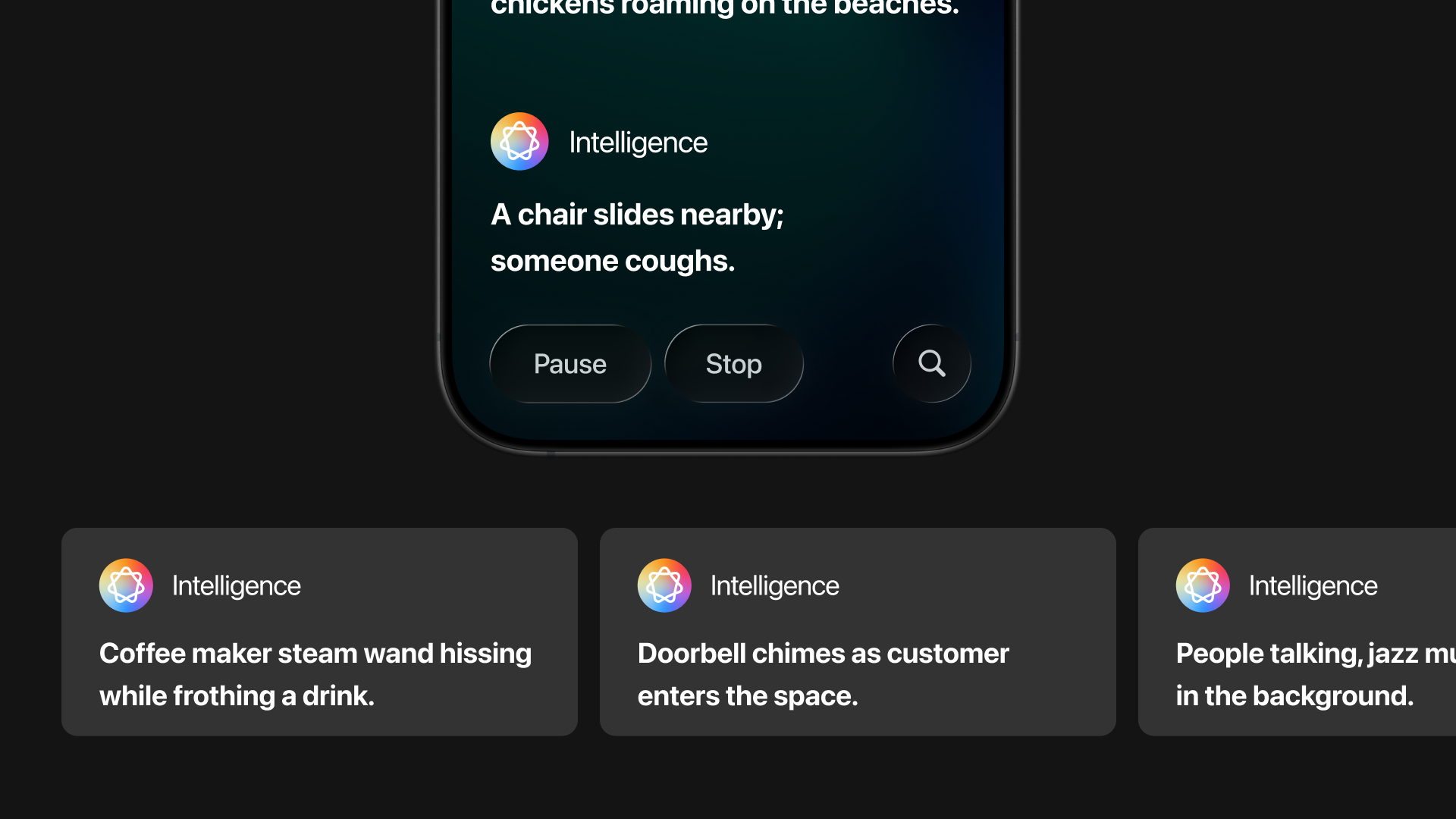
Surround Sound Dictation
with Apple Intelligence
As Apple products increasingly leverage intelligent features, I explored how Apple Live Captions
can extend this intelligence to provide richer contextual information.
One inspiring example comes from Christine Sun Kim, who advocates for
adding background noise
descriptions to captions.
Since iOS 14, Apple devices can detect sounds like door knocks, running water, or baby cries.
Extending this capability to environmental sounds in Live Captions could further enhance
accessibility.
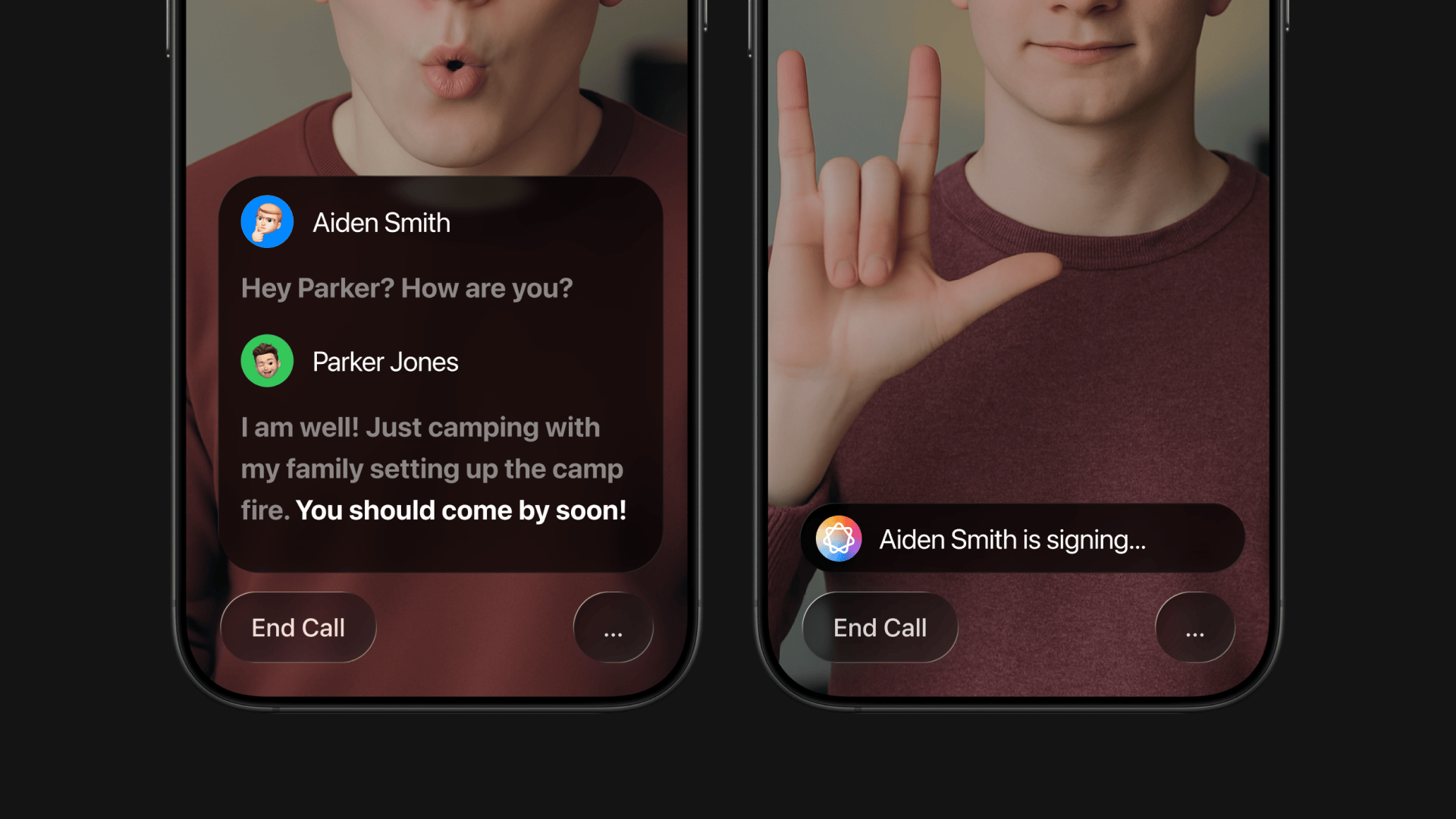
Apple Intelligence Helps
Manage Conversation Flow
What if Apple Intelligence could temporarily disable Live Captions when users are singing,
creating more screen space?
Since iOS 14, FaceTime’s Automatic Prominence enlarges the tile of the person speaking or
signing in group calls, highlighting who is taking the floor.
Reflections
Growth Opportunities
Unifying complexity through simplicity
I balanced functional constraints with brand consistency across devices—designing for
each platform’s rules while protecting a single, cohesive system. Long-term thinking
helped unify the experience into one shared rhythm.
Most products are built by teams with strong research—but without the lived experience
to fully match the real quality of user needs. Designing from daily reliance—not just
research—creates a deeper level of precision, empathy, and impact that can’t be
simulated.